
Join the Zenith Alpha
Help us shape the future of Zenith.
As an alpha tester, you'll get early access to new features and updates before anyone else. Your feedback is vital to helping us build the ultimate routine mastery app.
How to enable Alpha Access
Step 1 of 6
2
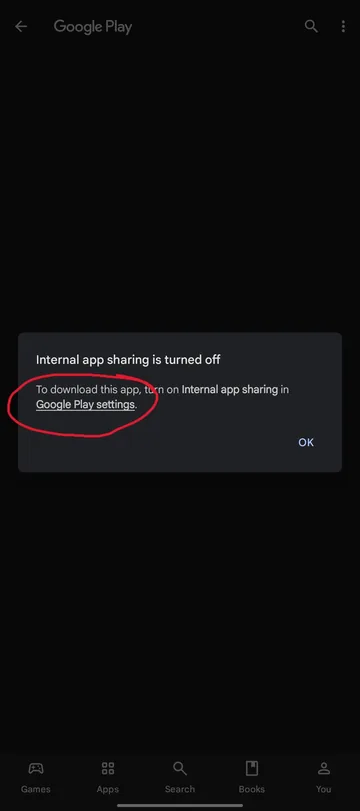
Open Settings
Tap on Settings in the Google Play store pop-up.
3
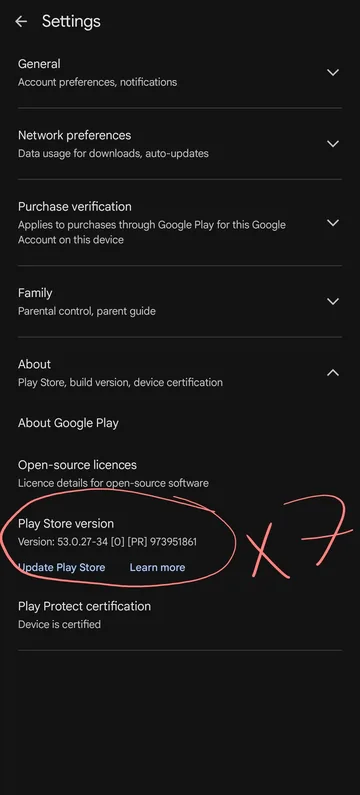
Enable Developer Mode
Tap on Play Store version 7 times to enable Developer Mode.
4
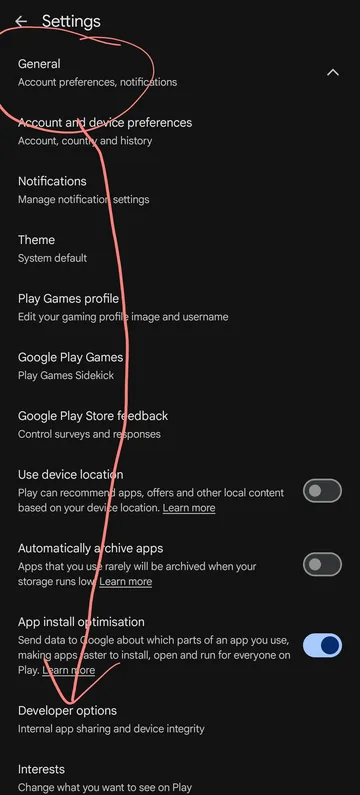
Developer Options
Navigate to the General section, then open Developer options.
5
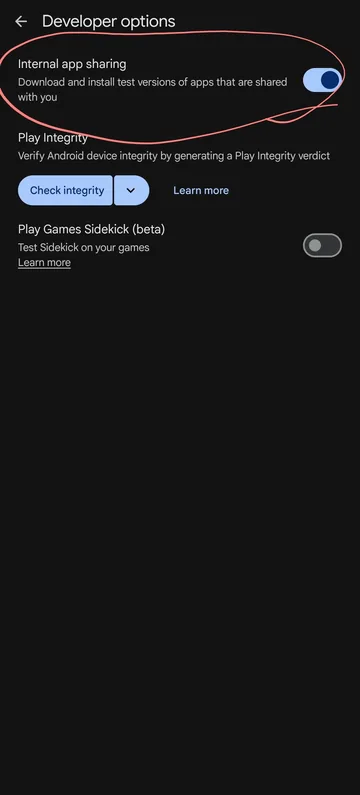
Internal App Sharing
Toggle on Internal app sharing.
6
Download Zenith
Go back to the Zenith store page to download and install the app!
